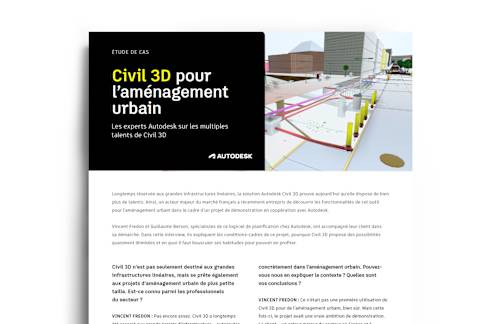

Civil 3D. A tool of many talents.

Discover Autodesk’s solution for your urban planning projects
Contact

Are your habits holding you back?

Heading 1

Heading 2

Heading 3

What if the only thing limiting your projects was the way you’ve always done them? Often seen as a tool for large-scale linear infrastructures, Civil 3D is far more versatile than that. It includes everything you need to successfully deliver your urban projects. Why look elsewhere for what’s already right in front of you? Shake up your habits. It’s time to rethink the way you model urban spaces.
And here’s the good news! You’ve probably already got access to it. Civil 3D is included in the AEC Collection and Enterprise Business Agreements.
Subtitle 1
Subtitle 2
Subtitle 3

Did you know?

Civil 3D's versatility is at your fingertips

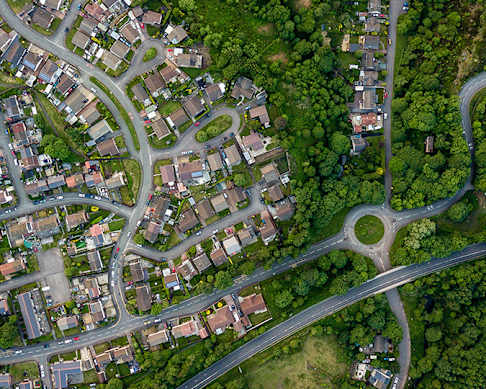
Residential developments

Design and model roads and utilities for all your new residential projects.
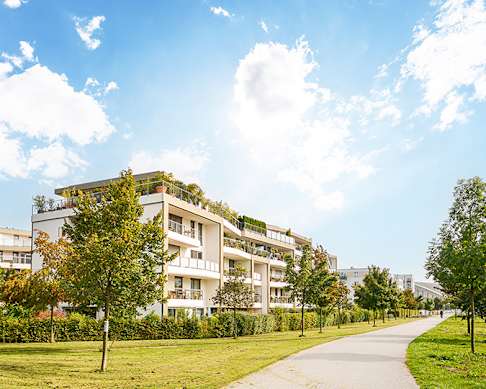
Urban regeneration

Remodel existing facilities to modernize and refurbish infrastructure that's already in place.
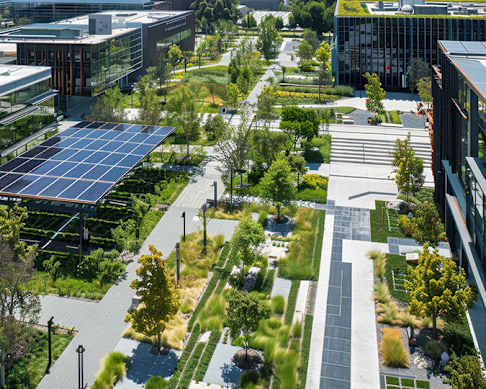
Commercial and industrial sites

Make light work of managing complex technical facilities in business park projects.
Public spaces

Design modern public spaces in line with architectural visions and environmental requirements, including stormwater management.
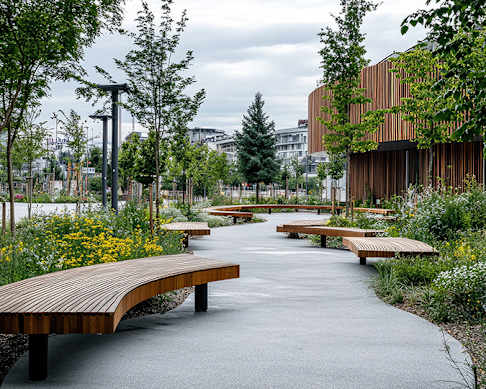

Civil 3D in practise: Rethinking urban planning

Streamlining workflows while reducing overall project costs couldn't be easier with Civil 3D, Autodesk's multitalented solution. We spoke to two experts about the advantages offered by this ideal urban planning toolset.

Heading 1

Subtitle 1

Heading 2

Subtitle 2

Heading 3

Subtitle 3

Civil 3D and its many features and benefits

An all-around solution for engineers, project engineers, and industrial designers

Voiries et terrassements

Public highways and earthworks

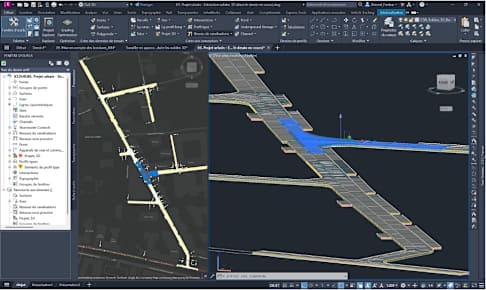
Thanks to its dedicated functions, Civil 3D enables precise modeling and alignment of earthworks, roads, and utilities. Even with geometrically complex models, the tool delivers with precision and visual appeal, taking full account of traffic and building-access constraints.
  • Precise modeling and alignment
  • Design and processing of complex geometries
  • High precision and default 3D rendering
  • All possible environmental conditions considered

Network modeling

Network modeling

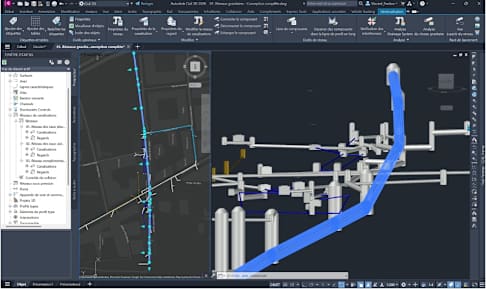
Civil 3D comprises modules for creating gravity and pressure networks, based on dedicated component libraries. Meanwhile, the dynamic connection between alignment and profile enables fast, accurate, and efficient modeling.
  • Integration of component libraries for gravity and pressure networks
  • Dynamic behaviors
  • Integrated design of stormwater networks
  • Precise and easy to use

Environment and street furniture

Environment and street furniture

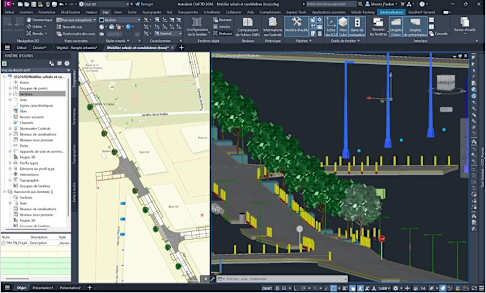
You can model the entire urban project environment in seconds thanks to the host of features provided by AutoCAD Map 3D and AutoCAD Architecture. Integrated libraries provide 3D objects that enhance the context and produce the most realistic rendering. Our integration into Esri Arc GIS online makes it easier than ever to gather and coordinate against existing conditions.
  • Simplified environment modeling
  • AutoCAD Map 3D, AutoCAD Architecture, and other integrated Autodesk functions
  • 3D objects for creating a realistic context

BIM workflows and 2D/3D rendering

BIM workflows and 2D/3D rendering

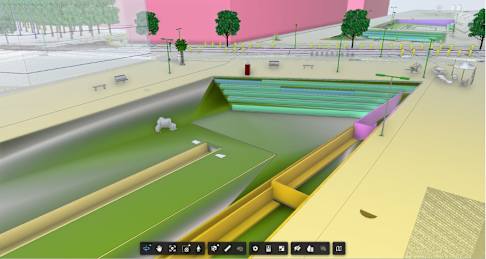
With Civil 3D, you can design every aspect of an urban space in 3D. Rendering and connection to BIM workflows are streamlined, while interoperability with other AEC solutions makes Civil 3D easy to integrate into open workflows.
  • Volumetric design
  • Connects easily to BIM workflows
  • Compatibility with open workflows thanks to integration with other AEC solutions
  • IFC 2x3 and 4x3 supported

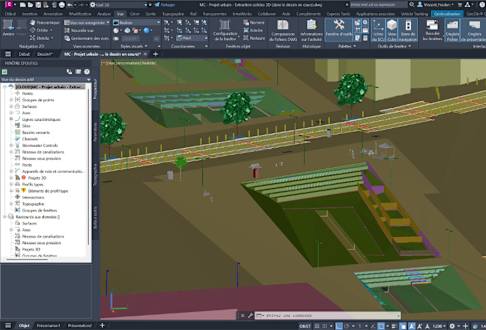
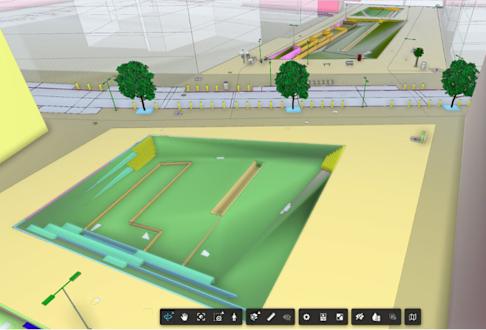
Detailed modeling of roadways and their structure
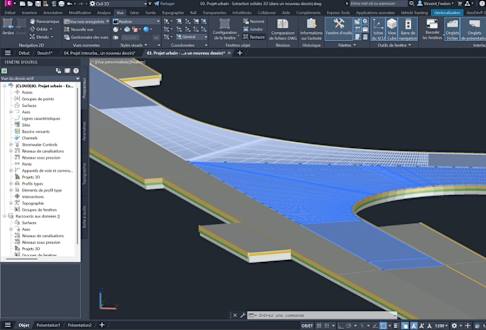
Detailed modeling of paving with structure and reservations
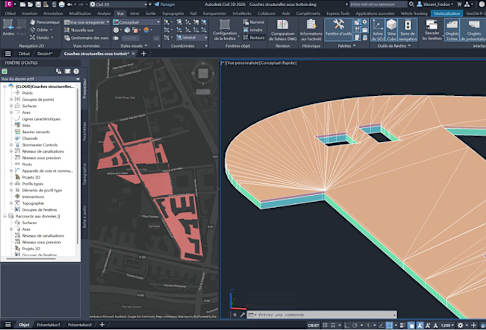
Modeling of buildings to enhance context
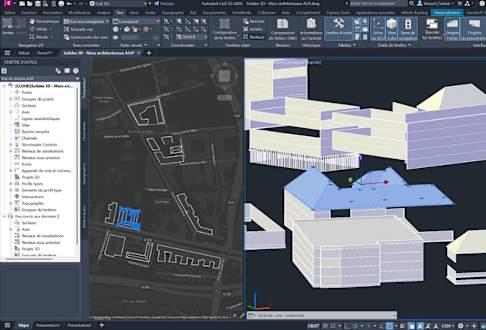
Modeling of gravity networks
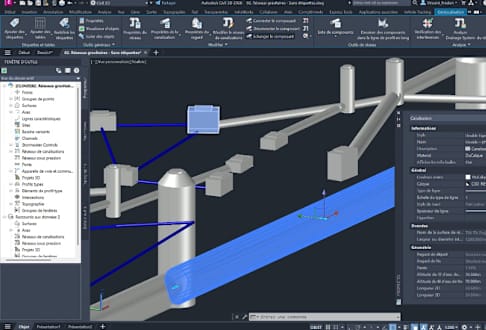
Modeling of pressure networks
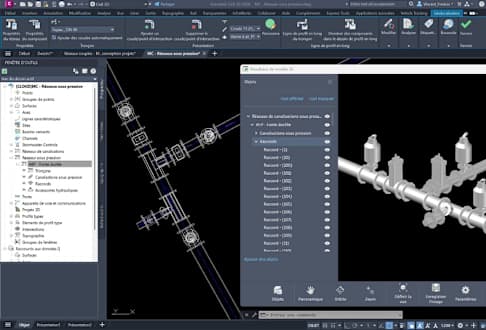
Modeling of dry networks
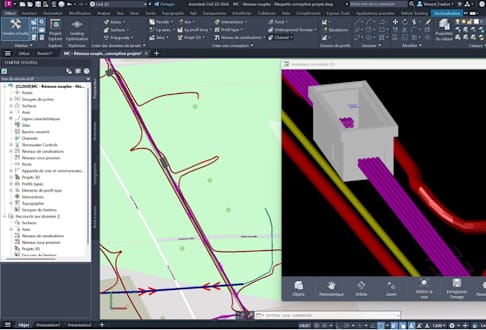
Modeling of specific elements with complex geometries such as stairways and low walls
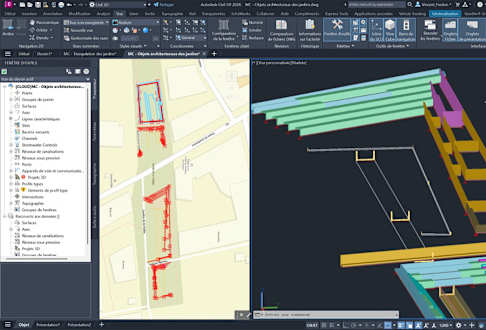
Aggregation using outer references in Civil 3D
Aggregation using the collaborative ACC platform and Model Coordination
The cost benefits of Civil 3D

A practical, cost-effective solution for project managers and team leads

Savings and efficiency

Savings and efficiency

Why buy or finance additional software when Civil 3D is included in EBA framework agreements and the AEC Collection? Reduce costs and simplify license management by unlocking the full potential of your software suite.
  • Solution integrated into EBA framework agreements and the AEC Collection
  • Lower software costs
  • Simplified license management

Integration into the Autodesk ecosystem

Integration into the Autodesk ecosystem

Civil 3D seamlessly connects to other Autodesk solutions such as AutoCAD, Revit, InfraWorks, and Navisworks, fully leveraging their synergies. That gives you the benefit of an integrated approach to the design, analysis, and management of your urban development projects.
  • Compatibility with AutoCAD, Revit, InfraWorks, and Navisworks for maximum synergy
  • Integrated approach to the design, analysis, and management of urban development projects

Cost optimization

Cost optimization

Civil 3D’s simulation and analysis tools help optimize project costs and resources, delivering improved budget management and smooth, efficient project coordination. Offering greater efficiency and precision from the get-go, this comprehensive toolbox will help you avoid errors and costly rework.
  • Optimization of project costs and resources
  • Efficient workflow coordination

Real-time collaboration

Real-time collaboration

Thanks to its integration with ACC, Civil 3D comprises advanced collaboration features that help optimize teamwork, synchronize modifications in real time, and coordinate project phases and stakeholders. The result is a seamless, centralized production workflow.
  • Advanced collaboration features
  • Improved synchronization of teamwork
  • Coordinated management of project phases and stakeholders for seamless workflows

Support and resources

Support and resources

Civil 3D is backed up by an extensive and skilled support system. Thanks to its worldwide presence and dynamic user community, a host of learning and improvement resources are available. Autodesk also provides coaching sessions to help you quickly get up to speed with the software.
  • Comprehensive and efficient support
  • A large user community
  • Sharing and learning made easy

Discover everything Civil 3D has to offer

Switch things up and take your urban planning projects to the next level. Civil engineering and urban planning in one, with everything you need right at your fingertips. What are you waiting for?

Heading 1

Subtitle 1

Heading 2

Subtitle 2

Heading 3

Subtitle 3
Find out more
Anchor: contact

Contact

Please do not hesitate to contact us to discuss any Civil 3D attributes you are unfamiliar with.
Contact us