Advanced Structural Workflow for Elevated Guideway: AR & Digital Delivery Innovation | Presentation
© 2025 Autodesk. All rights reserved.
Add name here, title here Add name here, title here Add name here, title here
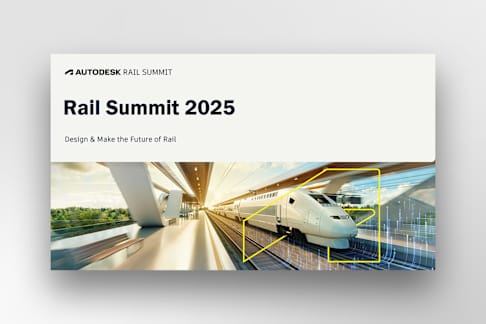
Design & Make the Future of Rail
Rail Summit 2025
Kevin,
O’Connor
VP, xD Digital Delivery Services
Sean,
Hulbert
Autodesk Principal Implementation Specialist
2
Advanced structural workflow
Bridge modeling evolved from wooden or
paper models in the 1800s, to computer
simulations in the 20th century, and now to
detailed 3D digital models — yet engineers
still build tiny physical models to validate
how real bridges sway and behave
3
Image courtesy of [Name]
Advanced structural workflow
Parsons Corporation
Why Parsons?
Synergy Between
FED & CI
Sensitive / Proprietary 4
WHO IS PARSONS? TWO SEGMENTS, ONE PLAYBOOK
Federal Solutions
Cybersecurity for defense, geospatial intelligence, advanced tech for mission-critical systems.
Critical Infrastructure
Large-scale roads, bridges, rail, water, and urban development projects across 30+ countries.
$7.0B Contract Awards (Fiscal Year 2024)
$6.8B Total Revenue (Fiscal Year 2024)
Federal
Solutions
55%
Critical
Infrastructure
45%
Federal
Solutions
59%
Critical
Infrastructure
41%
80 Years Of History
233+ Sustainability
Accreditations
~ 20K Employees
132 Locations
12 Countries
CLICK TO ADD TITLE
Image courtesy of [Name]
01
02
03
04
05
What was our challenge?
Parsons Autodesk Collaboration
Model Development Process • Products
• Process
How was this used • Collaboration
• Production
• AR
Integrating AI
WHAT WAS THE CHALLENGE
6
Develop a LOD 300 Bridge model Model needed for collaboration of all disciplines to develop drawings and AR
Editable modeling process
Develop federated model
including guideway and stations
Quickly make changes and share with other disciplines
Several disciplines developing models and need a place to collaborate
Parsons/Autodesk
collaboration
PARSONS / AUTODESK COLLABORATION
8 Sensitive / Proprietary
Strategic alignment drives our engagement
Kevin – VP Parsons xD Services
• Drive Innovative Solutions – HART Guideway Need
• Ensure Project Teams can deliver and meet requirements
• Identify and resolve issues proactively.
Rick – Autodesk Technical Solution Executive
• Autodesk Technical Strategy for Parsons
• Solution to meet Parsons Desired Outcomes
• Find Resources as needed
Ara – Autodesk Bridge Product Manager
• Provide Bridge Solution Stack
• Works with all Accounts as needed
• Solutions to meet Parsons Requirements
We’ve come to save the day!!!
PARSONS / AUTODESK COLLABORATION
9 Sensitive / Proprietary
Kevin Identified Need/Opportunity
• HART is one example…we have several others
Kevin reach out to Autodesk (Rick) with Need/Opportunity
• Discovery – Kevin and Rick
• Desired Outcomes
• Current situation / solution
• What is the opportunity?
• Next steps
PARSONS / AUTODESK COLLABORATION
10 Sensitive / Proprietary
Solutioning is an Iterative Process
- Kevin and Rick primary staff to start
Added Ara during process
• ID and share Data
• Develop Models
• Review Models
• Refine Models and Fix Problems
• Kevin Review with Project Team and Owner
• Win Project
Success Management (Ara and Sean)
• Implement Solution
• Troubleshoot
• Develop more detailed Inventor parts
• Review with Team
• Ara and team assist on InfraWorks models
• Develop more detailed Inventor parts
• Review with Team
PARSONS / AUTODESK COLLABORATION
11 Sensitive / Proprietary
Success Management (Ara and Sean)
• Sean brought in to guide Solution refinement and implementation
• Ara stayed on for guidance
• Troubleshoot – Office Hours
• Guidance to develop more detailed Inventor parts
• Weekly review with team
Model
Development
Process
© 2025 Autodesk. All rights reserved.
Products used
13
Common Data Environment CDE
• All files managed in one location
• All connected to our main design tools
• Take advantage of expanded uses through other ACC tools
© 2025 Autodesk. All rights reserved.
Products used
14
InfraWorks
InfraWorks was used to develop the background
model of existing conditions then used to develop
the bridge model and federated model
© 2025 Autodesk. All rights reserved.
Products used
15
Civil3D
Civil3D to create baseline geometry and corridors. Civil3D is also used to hold bridge model export from InfraWorks.
© 2025 Autodesk. All rights reserved.
Products used
16
Revit
Bridge model edited after InfraWorks export
Station models developed with Revit and coordinate systems applied to Revit models.
© 2025 Autodesk. All rights reserved.
Products used
17
Inventor
Parametric bridge elements were developed
for deck, rails, girders and piers be imported to
InfraWorks.
© 2025 Autodesk. All rights reserved.
18
Process
IMX
Civil3D
1. Develop alignments
2. Connect the C3D alignments to the model
3. Pier locations created from spreadsheet
4. Shape file exported for Piers using MAPEXPORT
Inventor
1. Develop parametric bridge objects to be used in InfraWorks.
Excel to edit bridge
1. Export bridge to excel file for detailed edits
2. Update bridge from connected Excel file
Export Bridge to Revit
1. Bridge is published to Revit using IMX for detail modeling and production
2. Civil 3D is used for Plan and Profile sheets
© 2025 Autodesk. All rights reserved.
Process
19
InfraWorks
1. Bridge Model working location
How was it used!
© 2025 Autodesk. All rights reserved.
How was this used
21
• ACC - Design Collaboration
• Clash Detection
© 2025 Autodesk. All rights reserved.
How was this used
22
• Production
© 2025 Autodesk. All rights reserved.
How was this used
23
• Virtual and Augmented Reality
© 2025 Autodesk. All rights reserved.
HOW WAS THIS USED
24Sensitive / Proprietary
• AI – Design review
• Secure data!
• Reliable results
EDMUNDO HERRERA
WORKFLOW
API’s RVT’s, DWG’s, PDF’s
ACC Management
Insights into ACTIONS!!!!
Python
HOW WAS THIS USED
26 Sensitive / Proprietary
• AI – Design review
Q&A
Legally Privileged & Confidential
Slide 1 Slide 2 Slide 3 Slide 4: Who is Parsons? Two Segments, One Playbook Slide 5: Click to add title Slide 6: What was the challenge Slide 7 Slide 8: Parsons / Autodesk Collaboration Slide 9: Parsons / Autodesk Collaboration Slide 10: Parsons / Autodesk Collaboration Slide 11: Parsons / Autodesk Collaboration Slide 12 Slide 13: Products used Slide 14: Products used Slide 15: Products used Slide 16: Products used Slide 17: Products used Slide 18: Process Slide 19: Process Slide 20 Slide 21: How was this used Slide 22: How was this used Slide 23: How was this used Slide 24: How was this used Slide 25: Workflow Slide 26: How was this used Slide 27: Q&A