Modernizing Federal Design Collaboration
A practical guide to secure, compliant and coordinated project delivery for U.S. federal AEC teams.
1
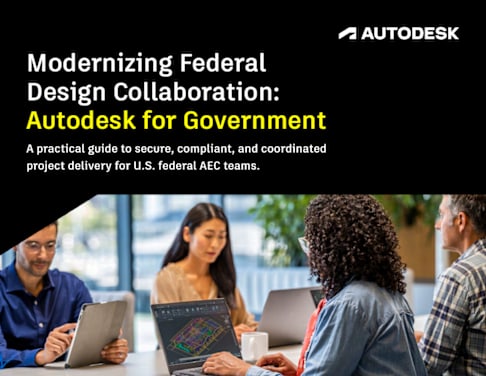
A practical guide to secure, compliant, and coordinated project delivery for U.S. federal AEC teams.
Modernizing Federal Design Collaboration: Autodesk for Government
2
Table of Contents Chapter 1 The Limits of Legacy Workflows in Federal Design and Construction
Chapter 2 What’s Really in the Way
Chapter 3 From Approval to Action
Chapter 4 What Happens When the Bottlenecks Are Removed
Chapter 5 Early Adoption and Real-World Implementation
Chapter 6 Mapping Autodesk for Government to Your Needs
Chapter 7 Taking the Next Step With Confidence
Conclusion A Clear Path Forward
3
5
6
7 9
11 13 15
3
THE COST OF DISCONNECTION
Missed deadlines, change orders, and scattered records are common in federal projects. They often stem from teams working in separate tools, exchanging static files, and losing context between handoffs.
Across agencies, many project teams still email drawings back and forth, track approvals in spreadsheets, and manage documents across disconnected systems. This patchwork approach slows delivery, frustrates stakeholders, and leaves room for costly errors.
The Limits of Legacy Workflows in Federal Design and Construction
Chapter 1
3
3
5
6
7 9
11 13 15
4
Meanwhile, the environment around federal AEC work is changing fast. With over $1.2 trillion allocated through the Bipartisan Infrastructure Law, agencies face mounting pressure to deliver faster and with more accountability. Federal modernization initiatives–including the Cloud Smart strategy and the Technology Modernization Fund–are pushing for secure, cloud-based workflows that make interagency collaboration smoother.
Find Autodesk solutions on the FedRAMP Marketplace at Autodesk for Government.
Yet many of the tools that enable this transformation aren’t even available to federal teams without additional security and compliance clearances. FedRAMP authorization is a non- negotiable requirement for any cloud service handling government data. Without it, even the most capable platforms are off the table.
5
Federal teams are not ignoring better tools. Most modern collaboration platforms were off limits until they cleared federal security review, and procurement processes stalled anything without an existing authorization.
Until recently, real-time design collaboration tools that private sector firms take for granted weren’t viable in the federal sector. Without FedRAMP authorization, they could not pass security review. And procurement hurdles made it even more challenging–if a platform hadn’t been cleared by another agency, getting it through an internal approval process could take months, sometimes stalling completely.
This is where Autodesk for Government shifts the federal environment. Autodesk built a standalone, multitenant cloud environment on the Amazon Web Services (AWS) Cloud. It requires unique credentials and is not accessible from our commercial offerings. The heavy compliance lift is done, so agencies can focus on adoption instead of approval.
For teams that have been constrained by outdated, disconnected workflows, Autodesk for Government provides a secure, compliant way to bring modern collaboration into federal design and construction–without starting from zero.
What’s Really in the Way Chapter 2
6
Once the compliance barrier is gone, the real work begins–getting project teams to collaborate in one secure, connected space.
In a dedicated AWS-hosted environment, federal teams can use Autodesk Docs for Government and Autodesk BIM Collaborate Pro for Government with the same depth of capability they expect commercially, but within a security and compliance framework designed for government work.
Autodesk Docs centralizes every project file in a single, cloud-based location. Teams no longer chase attachments or question which version is current–they work from a single, verified source of truth. Built-in review workflows make it simple to route documents for comment and approval without losing track.
BIM Collaborate Pro extends this coordination to 3D design. Multiple teams can work on the same Revit model in real time, track and assign issues, and see design changes as they happen. It’s how agencies prevent last-minute surprises and keep everyone aligned.
For program managers and agency leaders, this shift means less time waiting for updates, fewer costly revisions, and more predictable project delivery–all while keeping sensitive data protected.
From Approval to Action Chapter 3
6
7
Projects stop waiting on file transfers and scattered reviews. Everyone works in the same secure environment, with the latest version visible to the right people at the right time.
Autodesk for Government centralizes project data–drawings, models, and approvals–into one secure cloud environment so: ● The right people see the right files through
role-based permissions ● Everyone works from the latest version with
real-time updates ● Document reviews move faster with built-in
workflows and markups
What Happens When the Bottlenecks Are Removed
Chapter 4
A SINGLE, TRUSTED WORKSPACE
7
8
SECURITY THAT ENABLES PROGRESS
Every action in Autodesk for Government is backed by: ● Encryption for data at rest and in transit ● Continuous monitoring for potential threats ● 300+ validated security controls verified by
independent assessors and federal security teams
THE IMPACT AT SCALE
When bottlenecks are removed, agencies can: ● Coordinate multi-agency and
multi-contractor projects seamlessly ● Track issues through to resolution without
losing accountability ● Maintain confidence that sensitive
information is always protected
With this foundation, collaboration can expand without introducing new risks.
The result is a shift from managing delays to managing outcomes– and outcomes are what the public ultimately measures.
9
GSA sponsored our FedRAMP Moderate authorization through the U.S. General Services Administration’s Office of the Chief Information Officer (GSA IT) and granted Autodesk for Government an Authority to Operate (ATO) at the Moderate impact level.
Today, architects, engineers, contractors, and owners working directly on GSA building projects use Autodesk for Government.
This sponsorship supports a “do once, use many” approach, helping other federal agencies review our FedRAMP security package and issue their own ATOs for authorized projects without restarting the security review process from zero.
Early Adoption and Real-World Implementation
Chapter 5
10
On federal building projects, Autodesk Docs supports centralized file management, version control, and real-time review access. BIM Collaborate Pro extends that collaboration to Revit Cloud Worksharing, enabling secure co-authoring across distributed design disciplines.
The results are clear: ● Projects stay on schedule – no waiting for files to move through inboxes ● Approvals move faster – reviewers and contractors work in the same secure platform ● Oversight is stronger – every change, comment, and issue is logged and traceable
This is what modern federal project delivery looks like when security and collaboration are built in from the start–and it’s already happening.
11
This is what modern federal project delivery looks like when security and collaboration are built in from the start–and it’s already happening.
By now, you’ve seen how federal AEC teams are already applying Autodesk for Government to deliver projects faster, more securely, and with fewer bottlenecks. The next step is connecting those capabilities directly to your agency’s challenges.
Version control issues Autodesk Docs for centralized storage, version history, and access permissions.
Slow reviews and approvals Built-in review tools and shared environments in Autodesk Docs.
Discipline silos BIM Collaborate Pro for real-time co-authoring in Revit and integrated issue tracking.
FROM PAIN POINTS TO SOLUTIONS
Mapping Autodesk for Government to Your Needs
Chapter 6
11
Compliance gaps FedRAMP Moderate hosting in AWS GovCloud with role-based access, encryption, and full audit logs.
Incomplete handovers A connected cloud environment that preserves all documentation from planning through closeout.
12
Federal modernization mandates and the availability of authorized platforms mean there’s no need to work around compliance anymore. The capability exists–it’s about matching it to the right place in your workflow.
WHY THIS MATTERS NOW
12
13
Taking the Next Step With Confidence Switching to a new platform in a federal environment is more than an IT decision–it’s a strategic move that can remove years of process friction in a matter of weeks.
Chapter 7
When the U.S. General Services Administration first deployed Autodesk for Government, they didn’t start with sweeping change. They picked one program, one team, and one set of deliverables. Within the first review cycle, approval times dropped, version mismatches disappeared, and every stakeholder worked from the same live files.
Early success made it easy to expand adoption– because the proof was already there.
14
Complete the companion workbook to map your workflows and pinpoint where Autodesk for Government delivers the highest value.
Share your workbook with Autodesk or a certified partner to receive a tailored adoption roadmap.
Select a high-visibility pilot project where early wins can be measured and shared.
Scale based on results, not speculation.
WHAT TO DO NEXT:
USE THE COMPANION WORKBOOK Do not guess where to begin. The workbook captures your current process, highlights where the platform has the most impact, and prepares the inputs Autodesk or a certified partner needs to return a concrete adoption plan.
14
15
WHAT TO DO NEXT: Conclusion A Clear Path Forward
Autodesk for Government removes long-standing barriers without forcing teams to abandon familiar tools. Autodesk Docs and BIM Collaborate Pro run in a secure, authorized cloud so collaboration and compliance work together, not against each other.
For agencies, that means fewer delays, cleaner audits, and better outcomes on taxpayer-funded work. For project teams, it means reviews that move faster, issues that are tracked to resolution, and one source of truth from design through handover.
Start with the workbook. Share it with Autodesk or a preferred partner. Receive a plan that fits your mission and your constraints.