Autodesk-BIM-Collaborate-One-Pager.pdf
Reduce Rework with Connected Issue Management
Don’t let issues slip through the cracks. Identify clashes as issues, assign them to a team or team member, and track resolution in one connected tool. Easily update models using Revit and Navisworks.
Save Time With Automation
Leverage automated clash detection and grouping. Models published by design teams, general contractors, or trade partners are automatically clashed, grouped, and displayed in an intuitive matrix for quick analysis.
Keep Teams on the Same Page, at the Same Time
Don’t wait for the next coordination meeting to address constructability issues. With real-time technology, teams are enabled to collaborate on the latest model to address issues faster and improve model quality.
Coordinate teams and models from one place. Autodesk BIM Collaborate empowers VDC managers to align on and execute design intent and constructability of models. By managing the entire design collaboration and coordination process in a cloud-based, common data environment, project teams can increase the quality of models while reducing rework and improving productivity.
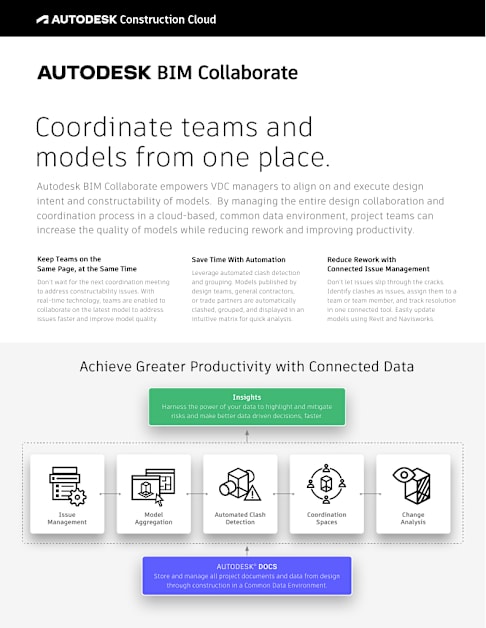
Issue Management
Automated Clash Detection
Coordination Spaces
Model Aggregation
Change Analysis
Achieve Greater Productivity with Connected Data
AUTODESK® DOCS Store and manage all project documents and data from design
through construction in a Common Data Environment.
Insights Harness the power of your data to highlight and mitigate
risks and make better data driven decisions, faster.
www.autodesk.com/construction
United States: +1-866-475-3802 United Kingdom: +44 808 1892 253 Australia: +61 1800 314 435
Democratize the Model Coordination Process
Centralized Doc Management
Organize, distribute, control, and share files in a cloud-based, common data environment ensuring all team members have access to the latest and most relevant files.
Optimize Project Insights
Using project data and dashboards, use Insights to identify trends and mitigate risks.
Avoid Costly Bottlenecks
Free up time by enabling design and trade partners to clash test their own models. Allow VDC managers to focus on high-level issues and improve the plan- to-schedule ratio.
Quickly Analyze Clashes
Model clashes are automatically grouped by system or object type to avoid manual work. Use the clash matrix to identify clash trends across models.
Simplify Issue Management
For clashes that require greater scrutiny, easily tag and assign an issue to the right team member. View active issues in the Insights tab or with scheduled reports.
Monitor Design Changes
Track model changes along a timeline. Before consuming the latest designs, identify precisely what changed and which teams are affected.
Savings from clash detection can reach up to 10% of the
contract value.”
Consulting giant, PWC
Due to BIM Coordination and multi- discipline collaboration, our project was delivered with less than 1% rework. On
a typical job, we expect to have between 8–10% rework.”
Russ Dalton Americas BIM Director
AECOM