Top reasons to upgrade from AutoCAD to the Product Design & Manufacturing Collection
Autodesk Product Design and Manufacturing Collection adds exclusive factory-specific functionality to AutoCAD to help you create layout designs faster and more accurately, along with additional tools to help you better visualize, inspect, and optimize your design.
Autodesk, the Autodesk logo, AutoCAD, and Inventor are registered trademarks or trademarks of Autodesk, Inc., and/or its subsidiaries and/or affiliates in the USA and/or other countries. All other brand names, product names, or trademarks belong to their respective holders. Autodesk reserves the right to alter product and services offerings, and specifications and pricing at any time without notice, and is not responsible for typographical or graphical errors that may appear in this document. © 2022 Autodesk, Inc. All rights reserved.
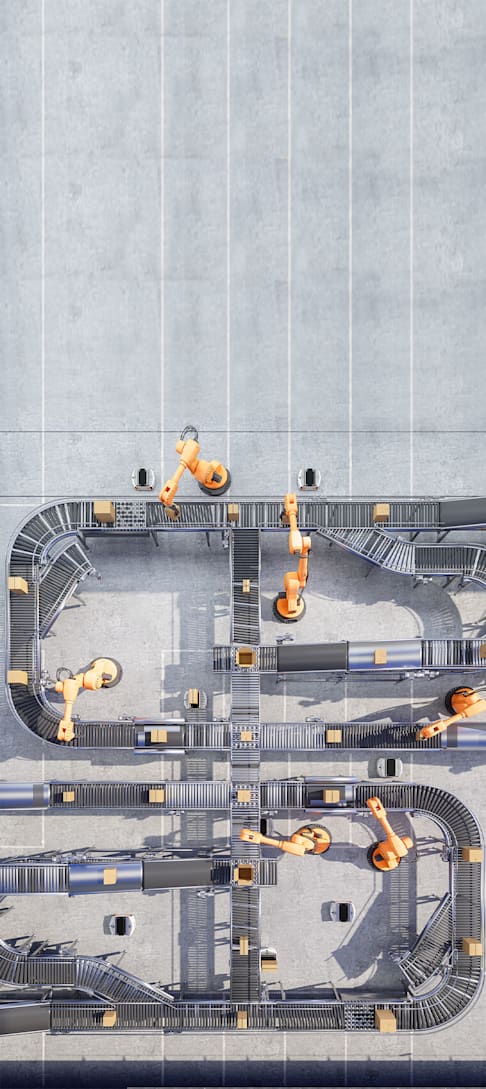
FACTORY SPECIALIZED TOOLSETS With factory and system layout specific functionality, you can reuse all of your existing data and improve productivity using software you already know. Exclusive capabilities expedite the layout process, such as taking a simple path or polyline drawn in AutoCAD and converting it into a chain of assets. Additionally, with native support for the DWG™ file format, you can easily use your existing data and improve productivity.
3D LAYOUT AND VISUALIZATION Automatically convert 2D layouts into 3D representations that remain linked – so a change made in one place is automatically updated in the other. Integrate multi-CAD and point-cloud data together to run interference checks on the entire design, which can include the as-is state of the facility. Create virtual walkthroughs and renderings of the layout for stakeholders and customers that clearly communicate your layout ideas in 3D.
SAVE TIME WITH AN EXTENSIVE LIBRARY OF FACTORY ASSETS Factory Design Utilities within the collection comes with an extensive library of common assets used in factory and system layouts, which provide the ability to create and add custom assets unique to your design. In addition, you can create assets with multiple variants or use iLogic design automation tools to develop configurable assets that can be easily modified and inserted into your layout.
ANALYZING FACTORY AND SYSTEM LEVEL PERFORMANCE Analyze your layout for efficient material flow in the early stages of layout design by identifying where non-value- added costs are incurred by transporting material within the factory. Evaluate multiple what-if layout scenarios in a short time and get real time feedback on the various layout iterations.
AUTOMATE INSTALLATION DRAWINGS Automatically create installation drawings of your layouts, including plan views and section drawings. Drawings are associative to your design, which means your drawings automatically update whenever the layout designs change.
1
2
Factory layouts and equipment systems are the kind of design work for which AutoCAD is perfectly suited. So why would you consider a change?
Autodesk Product Design and Manufacturing Collection adds exclusive factory-specific functionality to AutoCAD to help you create layout designs faster and more accurately, along with additional tools to help you better visualize, inspect, and optimize your design.
Top reasons factory layout designers upgrade from AutoCAD to the Product Design & Manufacturing Collection
“ In one case, it was a real tight fit with an interference on one side, and one on the other that we had to thread the needle on. We were able to do that with the Autodesk factory design tools and get our equipment placed just right.”
–Chris Hahn Projects Engineering Manager, Dearborn Mid-West
“ Whether provided with a customer specific paper drawing, a CAD layout, or creating site measurements using 3D laser scanning, the universal data handling capabilities always allow us to successfully complete our tasks with one
solution, one interface.” –Jorg Duus, Head of Construction,Feige Filling GmbH.
3
4
5
ELPO GmbH is delivering higher quality systems by adding simulation and testing to the development
process, and has still been able to cut nearly
10% off their project timeline
You have one model where everything is updated in and if you have a thousand drawings, you make one change and it’s changed in all the drawings.”
–Jeff Makarewicz Design Manager, Giffin, Inc.
“ Ready to learn more about the Product Design & Manufacturing Collection? Visit
autodesk.com/collections/product-design-manufacturing
Autodesk Product Design & Manufacturing Collection includes next generation AutoCAD workflows for layout. Upgrade to a suite of products with built in functionality tailor-made to create factory layouts more effectively.