Transform 2D sketch designs into immersive 3D models
eBook examining problems with the 2D to 3D transformation process, and how Autodesk Alias's Create VR functionality helps solve them. Title:
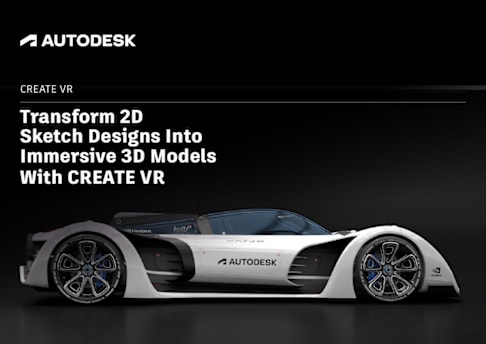
Transform 2D Sketch Designs Into Immersive 3D Models With CREATE VR
CREATE VR
CREATE VR TRANSFORM 2D SKETCH DESIGNS INTO IMMERSIVE 3D MODELS WITH CREATE VR P. 2
The inspiration for a new vehicle starts in two dimensions as an artist’s sketch. These drawings capture the essence of the vehicle’s design, creating excitement about an idea’s possibilities. Speed is built right into the artwork.
What these sketches lack is detail. They look amazing, but do not effectively capture the precise shape, size, or proportion of the vehicle. The process of transforming a 2D sketch into a 3D model is an arduous one, involving many iterations between 2D and 3D designers.
Today, project budgets are tighter and deadlines arrive sooner. That means automotive design studios need a more efficient way to turn early 2D concepts into fully realized 3D models.
Virtual reality could be the answer. In particular, Autodesk Create VR, which offers VR sketching in an immersive virtual environment that can speed the transformation from 2D to 3D. In this ebook, we will look at five common problems with this process—and how Create VR helps to solve them.
Accelerating 3D transformations
Designers should be lateral thinkers and stay actively involved in the product development process. The best designs are created through collaboration. As a result, we have to work in a more integrated, networked way. We always need tools that can help us do this effectively and intuitively.”
– Patrick Scholl Head of Automotive Design, Haptiker GmbH
“
CREATE VR TRANSFORM 2D SKETCH DESIGNS INTO IMMERSIVE 3D MODELS WITH CREATE VR P. 3
In automotive design, as in many other industries, time is money. There is tremendous pressure to develop new vehicles more rapidly in order to meet new consumer demands before the competition. This is why the development timeline never gets longer or more forgiving.
Turning concept sketches into 3D models is a constant barrier to efficiency. Typically, the 2D artist hands off the digital drawing and the 3D artist attempts to make sense of it through a combination of intuition, experience, and guesswork. The two designers then
iterate, working in separate applications that do not integrate and can’t share files. Every question and answer requires another round of rework.
With VR sketching, the 2D artist can prepare the initial 3D translation using simple curve and surface tools while immersed in a VR environment. The end result can be exported directly into Autodesk Alias for final realization, and the 3D designer does not have to guess at size and proportion. This can make every iteration shorter, and reduce the number of rounds required to finish the 3D model.
My goal is to bring all the ideas and concepts from pencil drawings and Photoshop files directly into the VR modeling world. I try to model everything directly in 1:1 scale in order to let my colleagues check all the modifications. This lets us shorten the time and speed up the process so much that we can produce a lot more models in one day.”
– Giuseppe Ceccio Exterior Designer, Italdesign
“ Simplifying the design experience
“GOING FROM MY 2D SKETCH TO THE 3D MODEL CAN BE PAINFUL. THERE IS TOO MUCH BACK AND FORTH. IT’S LIKE WE ARE SPEAKING DIFFERENT LANGUAGES.”
CREATE VR TRANSFORM 2D SKETCH DESIGNS INTO IMMERSIVE 3D MODELS WITH CREATE VR P. 4
Before VR sketching, one way automotive design studios tried to address the 2D-to-3D bottleneck was training 2D concept artists to use subdivision surface modeling software. Subdivision bodies are a type of geometry that provide smooth continuous surfaces for creating objects and organic shapes.
The intent behind this idea made sense. If 2D artists could hand off a 2D illustration together with a representative 3D model of their design, the 3D artist could hit the ground running with the concept. Unfortunately, this was not the
reality for most 2D artists. The software needed to make this happen was complex, and even specialized training was not enough to help 2D artists perform this work.
Create VR avoids this issue by simplifying the experience. There is no need to learn a complex 3D modeling application. Even for designers who are not familiar with 3D software, VR sketching provides a streamlined set of tools that make it straightforward to develop a basic 3D form of their design.
This seems to be a quick and easy way to share designs with customers and suppliers without publishing too much confidential design data.”
– Eric Gilsdorf Team Manager CAD/PDM
Support Rittal GmbH & Co KG
“ Streamlined tools to develop 3D design
“I’M A 2D DESIGNER. I SPECIALIZE IN CONCEPTUAL SKETCHES. I’M NOT A 3D DESIGNER OR A MODELER.”
CREATE VR TRANSFORM 2D SKETCH DESIGNS INTO IMMERSIVE 3D MODELS WITH CREATE VR P. 5
Despite the difficulty involved, some 2D artists work in 3D modeling applications to hand off a 3D file along with their 2D artwork. This can create a separate problem, however, because there are instances when the files created in the 3D modeling tool are not editable in the application the 3D artist uses, such as Autodesk Alias.
While it is more convenient to have a 3D file, it does not save much time if the 3D artist still has to rebuild the design in their preferred application. Create VR is built to solve this problem. It is integrated with Autodesk Alias, so the 2D artist can provide a geometry file that is ready for the 3D artist to start editing right away, without rework.
A comfortable immersive environment “I SPENT HOURS CREATING A 3D FILE TO GO ALONG WITH MY SKETCHES. THE MODELER TOLD ME IT WAS WORTHLESS BECAUSE IT WASN’T EDITABLE. THEY HAD TO RECREATE ALL THE SURFACES FROM SCRATCH.”
Create VR, however, provides a comfortable immersive environment. The 2D artist wears the VR goggles and uses two handheld controllers—one for menus and one for tools—to start roughing out the curves and surfaces of the model. This VR environment is specifically designed for user comfort, so designers do not become visually overwhelmed by the experience.
The user can stand in a VR space or sit at a desk to reduce fatigue. In addition, Create VR supports Oculus Rift S, Oculus Rift, as well as HTC Vive. The product team works closely with hardware partners and customers to ensure that artists can use the equipment they feel most comfortable with.
“I CAN’T WORK IN VR. IT MAKES ME SEASICK.”
As an industry, we’re much more open to new software tools than ever before. Many of these come from entertainment, architecture, and video games, and are being adapted for automotive use. It’s an exciting trend, as designers discover the tools best suited to their job, with the freedom to work outside a traditional toolset.”
– Jordan Beckley Project Manager and Global Digital Design Instructor, Ford Motor Company
“
Jordan Beckley
CREATE VR TRANSFORM 2D SKETCH DESIGNS INTO IMMERSIVE 3D MODELS WITH CREATE VR P. 6
An intuitive user interface for creating and manipulating geometry It’s true that many 3D design applications are generally too complex for 2D specialists to quickly master. This is not a statement about the abilities of 2D artists. These tools can be imposing even to 3D designers who are already familiar with polygon or subdivision modeling applications.
Create VR is different. It is purpose-built to streamline the initial leap from 2D to 3D, with a clear understanding of the goal: to create a 3D
version that clarifies the intent of the 2D concept.
VR itself is helpful in this regard because its immersion provides a sense of size and scale that is not as easy to determine on a flat screen. Create VR augments this technology with an intuitive user interface and simple tools for creating, sculpting, and editing surfaces and volumes. It even includes NURBS and SubD tools that speed up the design process.
“3D DESIGN IS COMPLICATED. THERE ARE TOO MANY CHOICES.” «
CREATE VR TRANSFORM 2D SKETCH DESIGNS INTO IMMERSIVE 3D MODELS WITH CREATE VR P. 7
The automotive “studio of the future” is a frequent target of speculation. While it is impossible to know which software will shape this evolution, it is safe to make several assumptions. One, development schedules are unlikely to expand and much more likely to keep shrinking. Two, tools that help teams shave hours off traditional workflows and ensure enhanced agility will be valuable.
This is why VR is so promising. Immersive tools open an entirely new chapter in the way artists,
designers, modelers, and others interact with computers. Stepping “into the machine” to interact with data as if it were a real 3D object creates opportunities to accomplish more design work more efficiently. Create VR takes advantage of this potential today, helping 2D artists turn their work into helpful, workable, 3D models much earlier in development.
For more information about Create VR, visit www.autodesk.com/campaigns/CreateVR.
Create VR offers an easier way for a 2D artist to create a 3D concept model. This will help more 2D artists go to 3D earlier in the development process and ultimately improve the communication of design intent with the 3D modeler.”
– Brandon Tasker Prod./Prod. Line Mgr.
“ Imagining the studio of the future
CREATE VR
https://knowledge.autodesk.com/support/alias-products/learn-explore/caas/CloudHelp/cloudhelp/2021/ENU/Alias-CreateVR/files/Alias-CreateVR-aboutcreatevr-html-html.html
Product design software for sketching, concept modeling, surfacing, visualization
Autodesk and the Autodesk logo are registered trademarks or trademarks of Autodesk, Inc., and/or its subsidiaries and/or affiliates in the USA and/or other countries. All other brand names, product names, or trademarks belong to their respective holders. Autodesk reserves the right to alter product and services offerings, and specifications and pricing at any time without notice, and is not responsible for typographical or graphical errors that may appear in this document. © 2022 Autodesk, Inc. All rights reserved.
CREATE VR